1 Comment

Before and After: TRA "Dirty Pictures"

Today I got to play with a MUCH awaited new filter/action from Totally Rad Actions (my very favorite action company!) I'm already a big fan of adding texture to photos in post-process and this ingenious little filter makes it so much quicker. As eager as I was to get it, what sold me was the ability to also use your own textures from within the filter, just like the ones that come with it. Very forward thinking of the Boutwells, (the creators), to not limit you to just the provided textures. It was perfect timing as I wanted to post another Before and After.

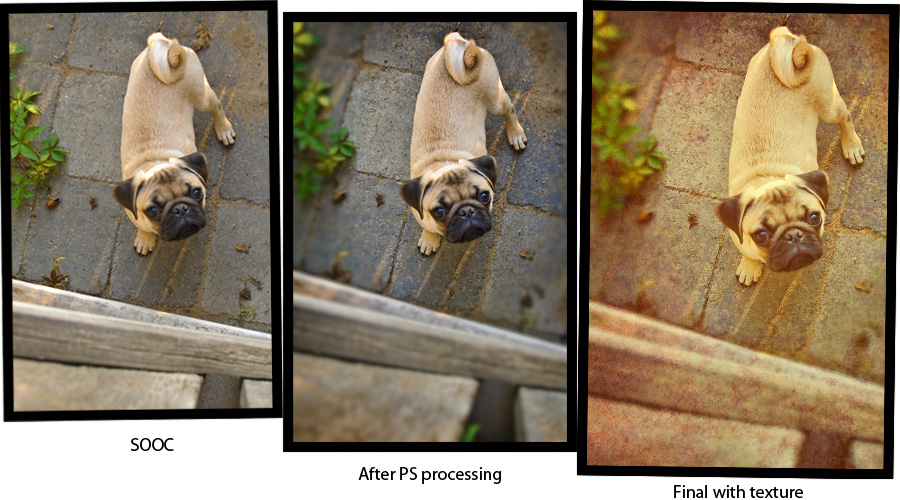
We got new next door neighbors and they have 2 new puppies! I asked if I could take a few photos in exchange for prints and was welcomed into their backyard on an amazingly golden summer evening. This is Rudy, the pug pup. In this image, I burned in his fur a bit to bring out the detail and added some selective focus to emphasize Rudy. Also added a little more vibrance to bring out the color variation in the grey stone. With this photo, I actually "ended" with the middle image as my final. Then, after buying the Dirty Pictures filter, I reopened it and added the fabulous texture you see here. I liked it before, I love it now. Oh and concerning the texture. I really like adding a couple (or more) of the textures and lowering their opacity so they can really interact and be unique. One of the "textures" I used here is actually a portion of a shot from Yosemite park. I thought it brought back that warm evening color I remember from the night.

1 Comment

Comment

Before and After: candid portrait photography

It's still Wednesday, right? Or how about "it's ONLY Wednesday?" That's more like it, a slow week for sure.

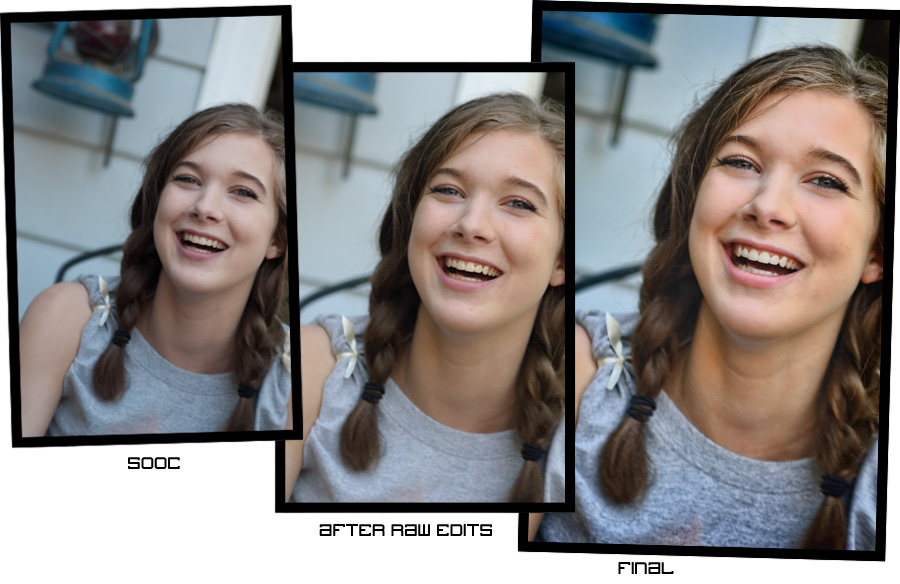
For this before and after you can see the difference in this photo is mostly a little crop and rotate, some warming up and a boost to the contrast and sharpness. I was testing out a new plug-in by Topaz Labs called Detail and it claims to sharpen without halos. A pretty tall order but I think they've done a good job. The thing I have noticed with the Topaz plug-ins is it is really easy to go too far. I try to be selective in how I apply them and even in retrospect seeing my after image, I think it could be a bit softer in the hair, particularly on the top left of her part. I also softened the skin beforehand as one of the downfalls of sharpening is super textured skin, which you generally don't want. I didn't need to do much as her skin is pretty nice. I created a layer that was composed of just the red channel and did a surface blur. Added a bit of noise back in, changed the blending mode to soft light and lowered the opacity to taste. The Detail plug-in really helped her eyes pop, especially since she has the type of (smaller) eyes that close when she laughs or smiles -- which is one of the things that gives her that beautiful smile! I whitened her teeth a bit because few people have really white (movie star white) teeth and the extra warming made it worse. (I could have also masked out the teeth in the warming process, but like everything else in post-processing, there are lots of ways to achieve the same thing).

I hope you find these helpful and if there are ever any requests or questions, please don't hesitate to ask. I try to answer everything that comes my way!


Comment

Comment

Digital photography collage: June '09 monthly wrapup

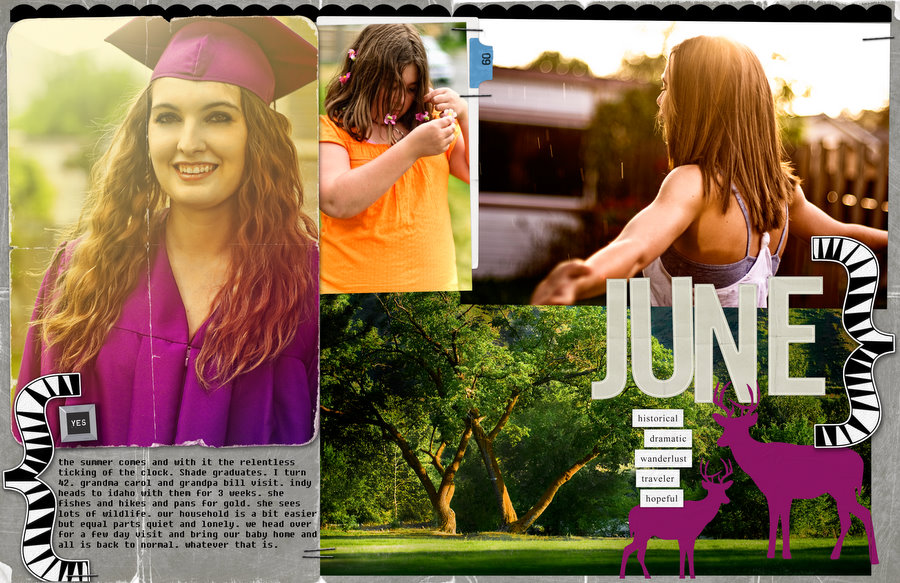
I'm a wee bit behind, will get July's done and up soon. It's a goal, I don't like being "behind", even on something self-imposed. I'm a do-it-as-soon-as-it-comes-in kinda' person. I don't know if it's efficiency so much as fear of forgetting. I'm also an out-of-site-out-of-mind kinda' person so doing everything right away keeps me on top of things. If I ever told you I'd do something and you haven't heard from me in a reasonable amount of time, don't hesitate to contact me. Most likley means I need a reminder. It doesn't happen often, but does on occasion. As always you can find this whole collection in the gallery.

Comment

1 Comment

Featured site: Wenatchee portrait photographer

A friend just told me when she logged in to make some edits on her web page that my web site popped up as one of the "featured sites" for the provider we use. Showit Sites is an application and provider used mostly by photographers and other creative types so their list of featured sites include some gorgeous web design and photography talent. It is so cool to be included in this group -- really something I take as an honor! Thanks Showit sites!

1 Comment

Comment

Before and After: Wenatchee couple portrait

Two weeks in a row! I'm on a roll. Kaiser please. Anywho...

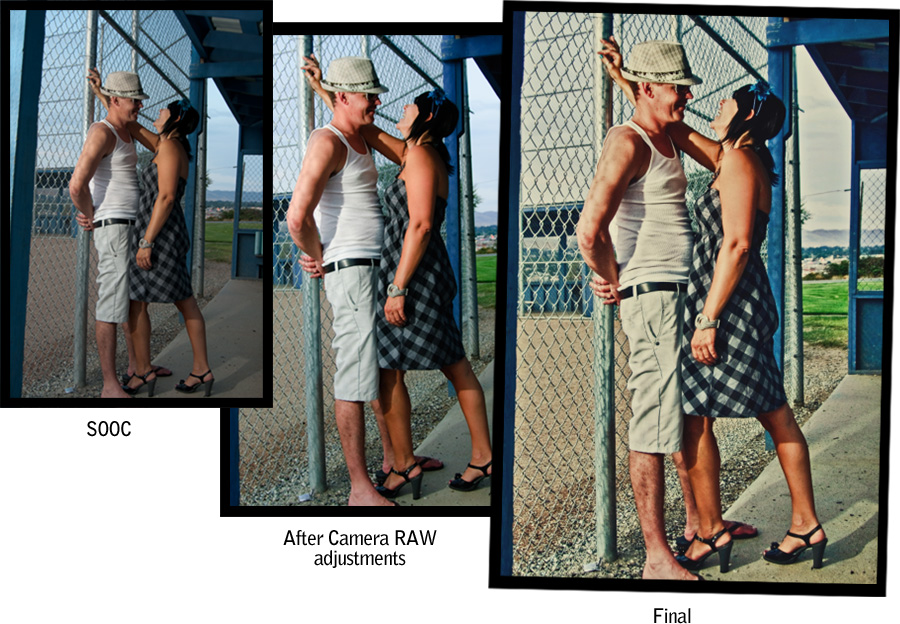
For this photo I was directing my valuable assistant and VAL (voice activated light) to cast a little light their direction. It was getting pretty late, nearly 8:30 pm, and being in a dugout, I needed the assist to keep the faces out of shadow. In retrospect, I could have (should have?) put a reflector behind her to pop a little more light onto his face. As it goes though, I like the result as her laughing expression is really the point and that's where the light falls. I made a few adjustments in Adobe Camera RAW to crop a tiny bit and straighten for better composition. In Photoshop I decided to just "play" with this photo and tried a whole lot of different things. In the end the stuff I kept were a black and white adjustment layer that I lowered to tone the color down, Topaz Adjustment filter on "Photo Pop", lowered to 75%, a warm photo filter for, yea, you guessed it, warmth, highlight and shadow separator actions from TRA actions, highlight recovery in Photoshop, a bit of noise reduction on the blue channel in LAB mode, and finally the Lux (soft) action at 90%, also from TRA. Phew, that's a lot, and not something I would do for a whole event's worth of photos, but it was fun to play around and do something a little different.


Comment